
Get started
Connect Metalama MCP to your agent.
A .NET tool and one line of agent configuration. Free and open source; your projects don't need to reference Metalama.
Install the tool
The server is the
metalama-mcp.NET tool. It requires the .NET 10 SDK or later.dotnet tool install -g Metalama.McpUpdate it later with
dotnet tool update -g Metalama.Mcp.Register it with your agent
Claude Code
Run this once to register the server for your user:
claude mcp add metalama -- metalama-mcpAdd
--scope projectto share the server with your team through the repository's.mcp.json.GitHub Copilot
In Visual Studio Code, add the server to
.vscode/mcp.jsonin your repository:{ "servers": { "metalama": { "type": "stdio", "command": "metalama-mcp" } } }Cursor
Add the server to
.cursor/mcp.jsonin your repository:{ "mcpServers": { "metalama": { "command": "metalama-mcp" } } }Other agents
Any agent that supports MCP over standard input and output works. Point its MCP configuration at the command:
metalama-mcpStart the agent from your repository
The server resolves relative paths against its working directory, so start the agent in the folder that holds your solution.
Trust the development certificate (optional)
The interactive browser view runs over HTTPS on
localhost. Trust the .NET development certificate once:dotnet dev-certs https --trustAsk your first questions
- Load
src/MyApp.sln. - Which types implement
IRepository, including through a base class? - Where is
OrderServiceused, and how? Show me the list in my browser.
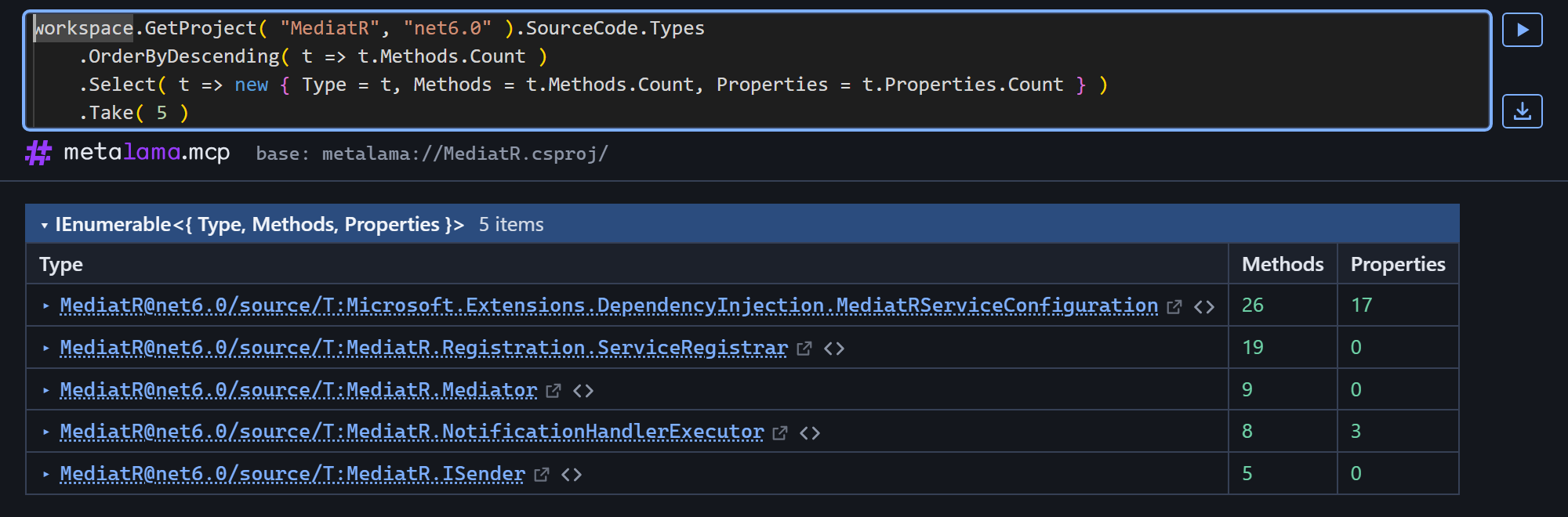
The result opens in your browser as an interactive grid: sort, filter, expand declarations and jump to the source.
- Load
Configuration and troubleshooting
Every option is in the Metalama documentation.